Quick Start
Safety Notice
- Before playing, please make sure to use the "Test Shock" feature to confirm that the set intensity is within your physiological tolerance.
- Be sure to set a reasonable "Damage Cap" to prevent high damage from converting into excessive current.
- If you feel any physical discomfort, please cut off the connection immediately or press the "Disconnect" hotkey.
- The author of this mod is not responsible for any physical discomfort or equipment danger caused by using this mod.
Installation
- (Skip this step if ModConfig is already installed) Go to Nexus Mods (ModConfig) to download the latest version of the ModConfig mod.
- Go to Nexus Mods or Github Releases to download the latest release package of Coyote Synergy.
- Extract the release packages (ModConfig and Coyote Synergy) to:
- Windows:
Game Root Directory\mods\ - macOS: Game Root Directory -> Right-click
SlayTheSpire2.appand Show Package Contents ->Contents/MacOS/mods/
- Windows:
TIP
If the mods directory does not exist, please create it yourself.
Installation complete.
Connection and Usage
- Open the game (if this is your first time using Mods, you might be prompted "Do you want to load mods", please click "Yes"). After entering the game's main menu, the service will start automatically. Make sure the prompt "Running with mods loaded. Loaded x mods." is displayed in the lower right corner of the main menu.
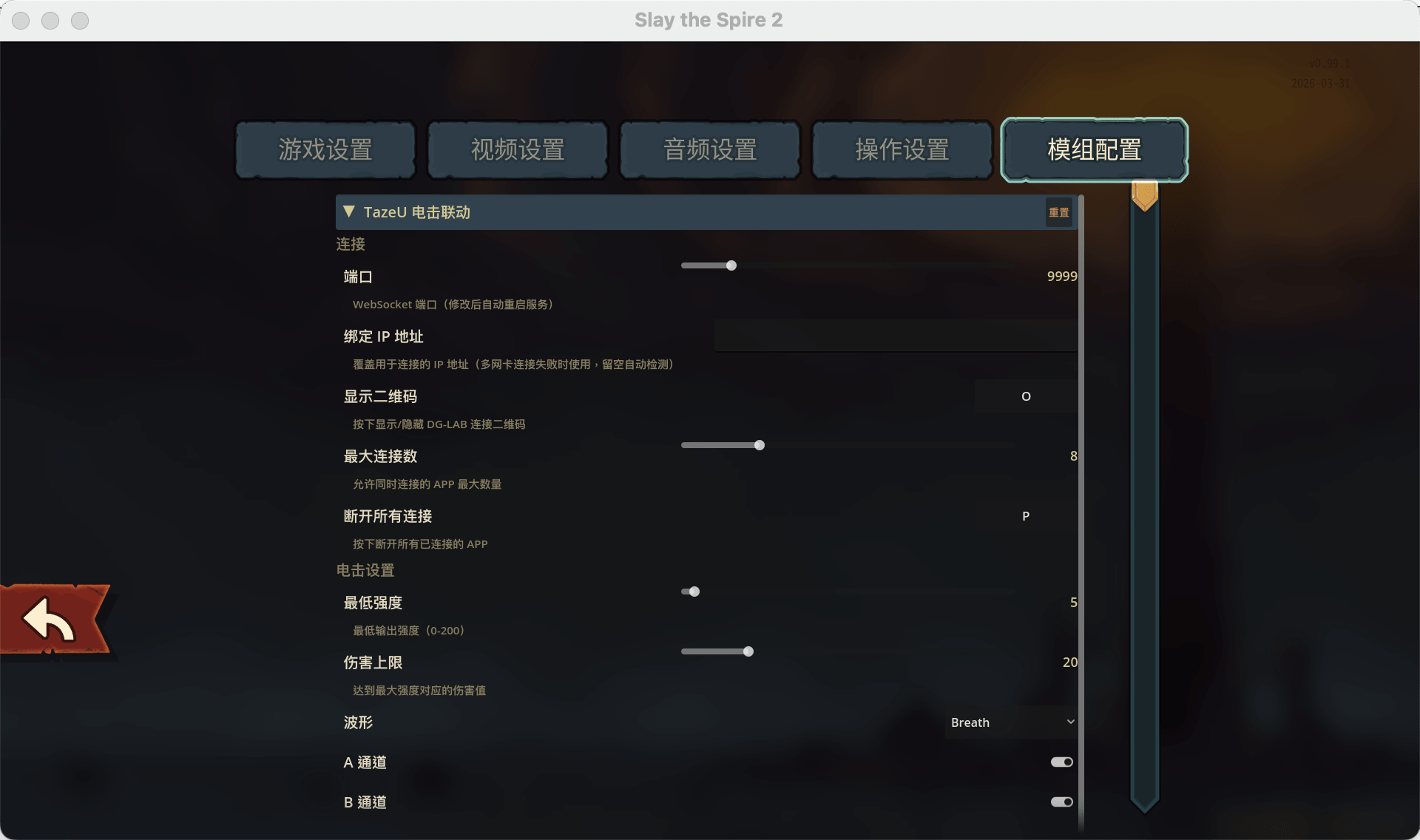
- Go to the Settings interface, open the "Mod Config" option, find "TazeU", and set hotkeys for at least the following item:
- Show QR Code
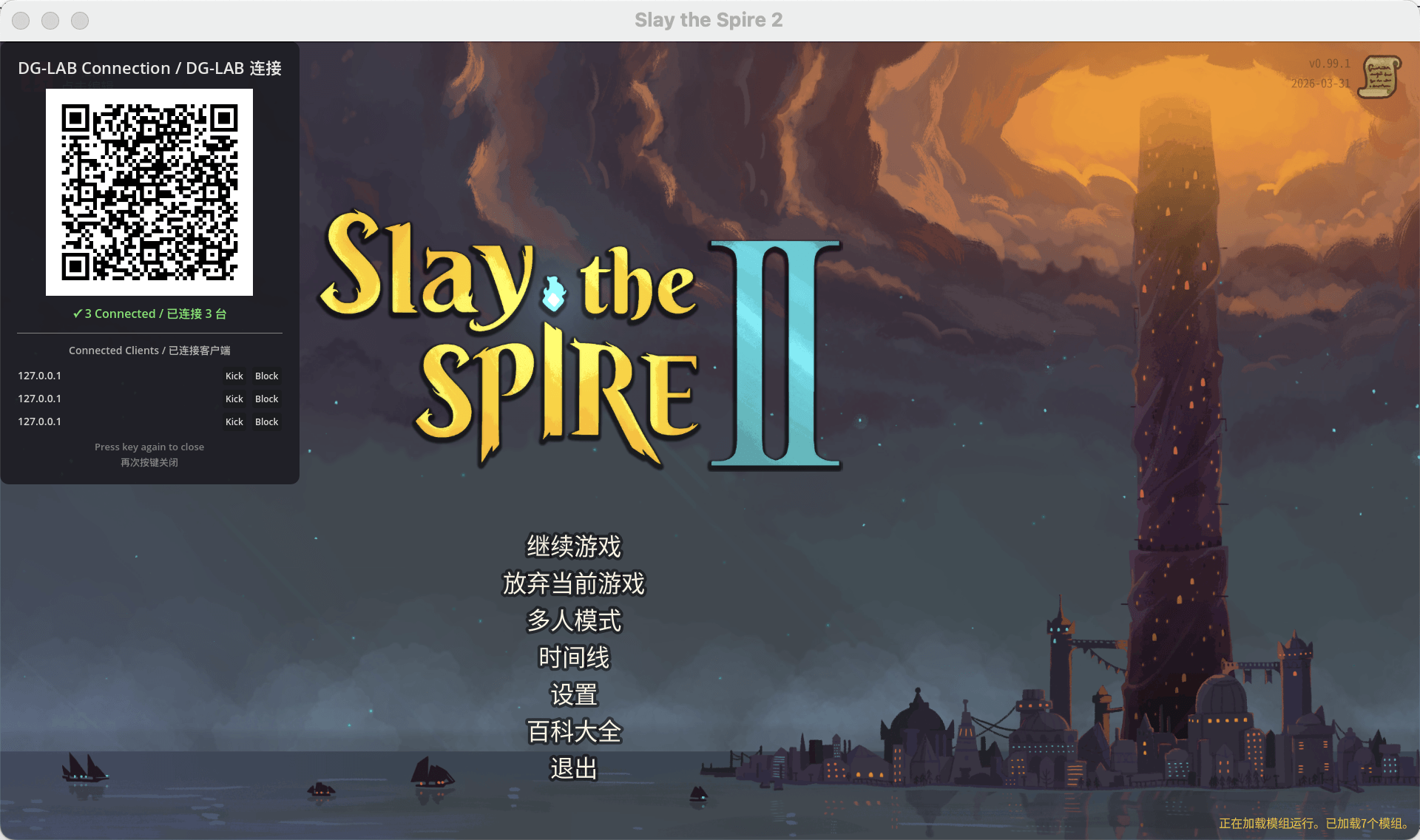
- Press the button to show the QR code, which displays a QR Code that can be scanned and connected using the DG-Lab Coyote 3.0 APP.
Go to your phone, ensure that your phone and computer are on the same local network (the simplest way is to connect to the same WiFi), open the DG-Lab Coyote 3.0 APP, select "SOCKET Control" in the lower right corner, and scan the QR code to connect. Upon successful connection, the QR code interface will show a green connected status and list the connected clients.
WARNING
In the Coyote APP, please be sure to set a reasonable intensity limit! The limit is entirely controlled by the APP end.
Now, the Mod is running according to the default configuration. Open the game and enjoy a thrilling round of Defect Lightning Orbs!